Collision repair shops need more than technical skill to succeed—they need organized systems for scheduling, parts tracking, and communication. The right shop management software and estimating platforms give managers visibility into operations, help prevent delays, reduce duplicate work, and keep customers informed, ultimately turning a technically perfect repair into a profitable, on-time delivery.
- Technical perfection isn't enough: A repair can fail due to paperwork delays, missing parts, or unclear responsibility assignments rather than poor workmanship.
- Key software functions include: Estimating platforms for damage documentation, scheduling, parts tracking, employee time management, and real-time repair status visibility.
- Visibility prevents costly delays: Digital tracking helps managers spot bottlenecks early, such as parts ordering delays or overloaded work areas, and make better use of shop capacity.
- Integration reduces errors: Systems that work together eliminate duplicate data entry and keep information consistent, but only if set up properly and staff are trained.
- Choose tools that fit your shop: The best system addresses your specific workflow, size, and needs—not the one with the most features.
A repair can be technically perfect and still run into trouble if the paperwork is behind, a part hasn’t arrived or nobody knows who’s responsible for the next step. In a collision repair shop, managing the work is almost as important as completing it. With multiple vehicles moving through different stages of repair, keeping everything organized takes planning, communication and the right systems.
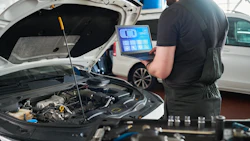
That’s where software and management tools come in. Estimating platforms help document damage and build repair plans, while shop management systems bring together scheduling, parts tracking, employee time and repair status. When these functions work together, managers have a clearer view of what’s happening on the floor and where a job might be delayed.
That visibility matters. A delay in parts ordering can affect a repair’s timeline, just as an overloaded work area can leave technicians waiting for their next job. Digital tracking and reporting can help managers spot these issues earlier, make better use of available capacity and understand where time is being lost. Customer communication tools can also help keep vehicle owners informed as plans change, reducing the need for staff to chase updates manually.
Choosing a system, however, isn’t simply a matter of finding one with the longest feature list. Shops need tools that suit their size, workflow and staff, and that work well with the other systems they already use. Integration can reduce duplicate data entry and keep information consistent, but only if the systems are set up properly and employees know how to use them. Accurate, up-to-date information remains essential; software can’t make good decisions with incomplete records.
The technology continues to change, too. Cloud-based platforms make information easier to access across devices, while automation can take some repetitive administrative tasks off employees’ plates. Artificial intelligence is also finding its way into business software, creating new options for organizing information and handling routine tasks. For shop owners, the important question is whether these features address a genuine need and make day-to-day operations easier.
Ultimately, the best system is one that works for the shop using it. Whether that means improving scheduling, keeping parts orders organized or giving managers a clearer picture of production, software should help solve practical problems. With the right tools in place, teams can spend less time tracking down information and more time keeping repairs moving.